Overview
The Amazon AMC (Amazon Marketing Cloud) connector exports data directly from the Decentriq platform as an audience to Amazon Marketing Cloud or Amazon DSP.
Your dataset should have a single column containing user identifiers and no header column. Supported formats include email addresses (SHA256-hashed or unhashed) and phone numbers (also SHA256-hashed or unhashed).
Prerequisites
- An Amazon Advertising account with access to Amazon Marketing Cloud
- Either a pre-configured AMC instance connection or an Amazon DSP Advertiser ID
First-time users are prompted to accept Amazon AMC's terms of service during the authorization process.
Step-by-step guide
Follow the steps to select a dataset for export and choose Amazon AMC from the list of connectors.
Click the Authorize button to authenticate with Amazon. You'll be redirected to Amazon's login page to sign in with your Amazon Advertising credentials.
After successful authorization, enter the required information:
- Audience ID: A unique identifier for the audience (appears as
external_audience_idin AMC). - Audience name: A descriptive name for the audience (minimum 10 characters).
- Time-to-live: The duration (in seconds) that uploaded IDs remain associated with this audience. Defaults to 13 months if not specified.
- Audience description: A description of the audience.
- Country: The country where the user IDs originate from. This helps Amazon with identity matching.
- ID format: The format of the identifiers in your dataset:
- Unhashed Email - Plain email addresses (when choosing this option, the ids in your dataset will get hashed within the DCR)
- Hashed email SHA256 - Pre-hashed email addresses
- Unhashed phone number - Plain phone numbers (when choosing this option, the phone numbers in your dataset will get hashed within the DCR)
- Hashed phone number SHA256 - Pre-hashed phone numbers
- Target resource type: Choose between:
- Advertiser - Export to an Amazon DSP advertiser seat
- Connection - Export to an AMC instance
- Advertiser ID / Connection ID: The ID corresponding to the selected target resource type.
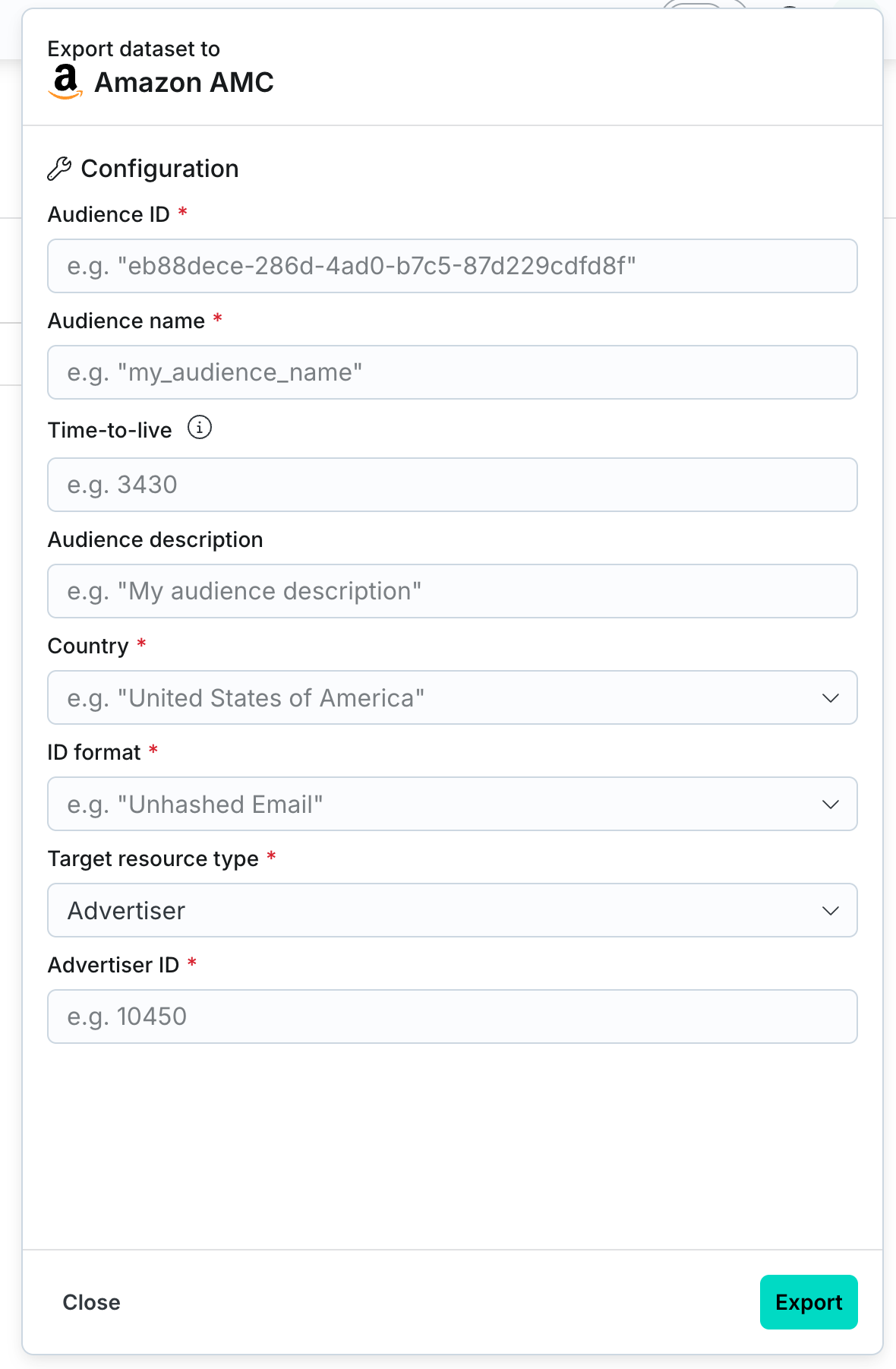
- Audience ID: A unique identifier for the audience (appears as
After clicking the Export button, navigate to the Imports/Exports tab on the Datasets page to track the export status.
Once the export completes, the audience is created in Amazon Marketing Cloud.
It can take up to 48 hours for the audience to fully appear and be available for use in Amazon's platform.