Getting started with DMP Configuration
Configuration is where you define which events, identifiers, and user profile traits the Decentriq DMP captures across your digital properties. You typically only complete this setup once, with support from your Decentriq Customer Success representative.
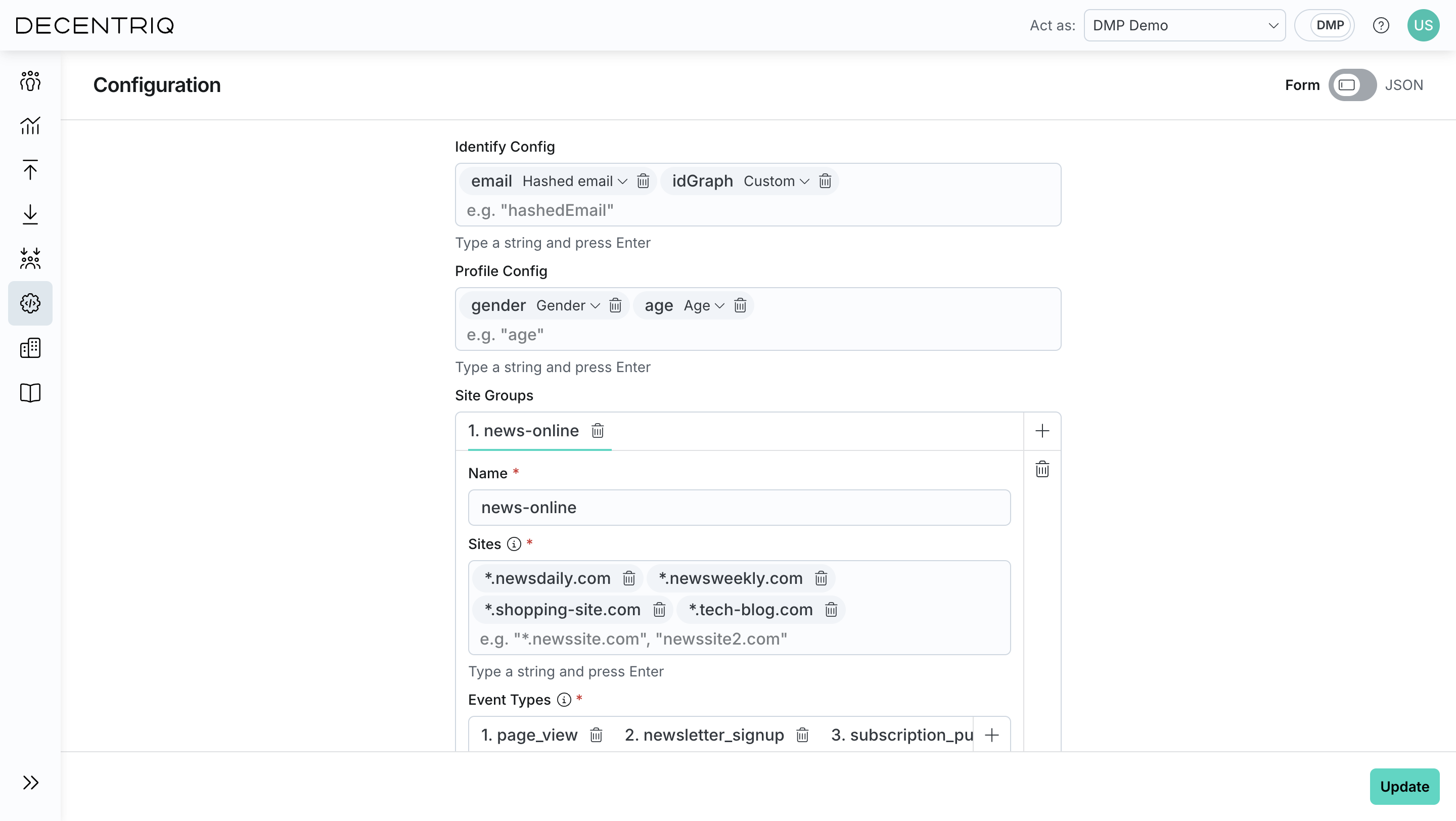
The configuration has three sections:
- Identify Config: User identifier types (e.g., hashed emails, custom IDs).
- Profile Config: User attributes to collect (e.g., age, gender, subscription level).
- Site Groups: Where data is collected and which events are tracked.
Events, identifiers, and traits not registered in this configuration are silently dropped during ingestion. Only registered properties are kept; unregistered ones are filtered out before reaching audiences or any downstream output. Make sure the configuration is complete before you go live with the tag.
Identify Config
Defines which user identifiers the DMP can use to recognize and match users across events. Each identifier is defined by a name (e.g., email) and a type. Only identifiers listed here are accepted and processed.
Supported identifier types:
- Hashed Email: Pre-hashed email addresses (SHA256).
- Custom: Any other publisher-defined identifier (e.g., a logged-in user ID).
Profile Config
Defines which user profile traits can be collected and attached to users. Each trait is identified by a name and a type. Only traits listed here can be ingested and used in downstream features such as audience building or insights.
Supported profile trait types:
- Age
- Gender
- Custom: Any other publisher-defined trait.
Site Groups
Define where data is collected and how events are organized across your digital properties. At least one site group is required. Each site group includes:
- Name: The label for the group.
- Sites: One or more domains where tracking applies. Supports wildcard domains such as
*.domain.com. - Event Types: The actions tracked on those sites. Each event type has a name (e.g.,
newsletter_signup) and an optional list of event properties. Each property is defined by a name (e.g.,signup_location) and a type:- URL: At most one URL property per event type. URL properties are automatically classified into IAB Content Taxonomy categories during pipeline runs (see Content categorization).
- Custom: Any other string property.
Once all required fields are completed, you can save the configuration. After saving, the configuration becomes active and the system processes defined identifiers, traits, sites, and events.