Getting started with DMP Imports
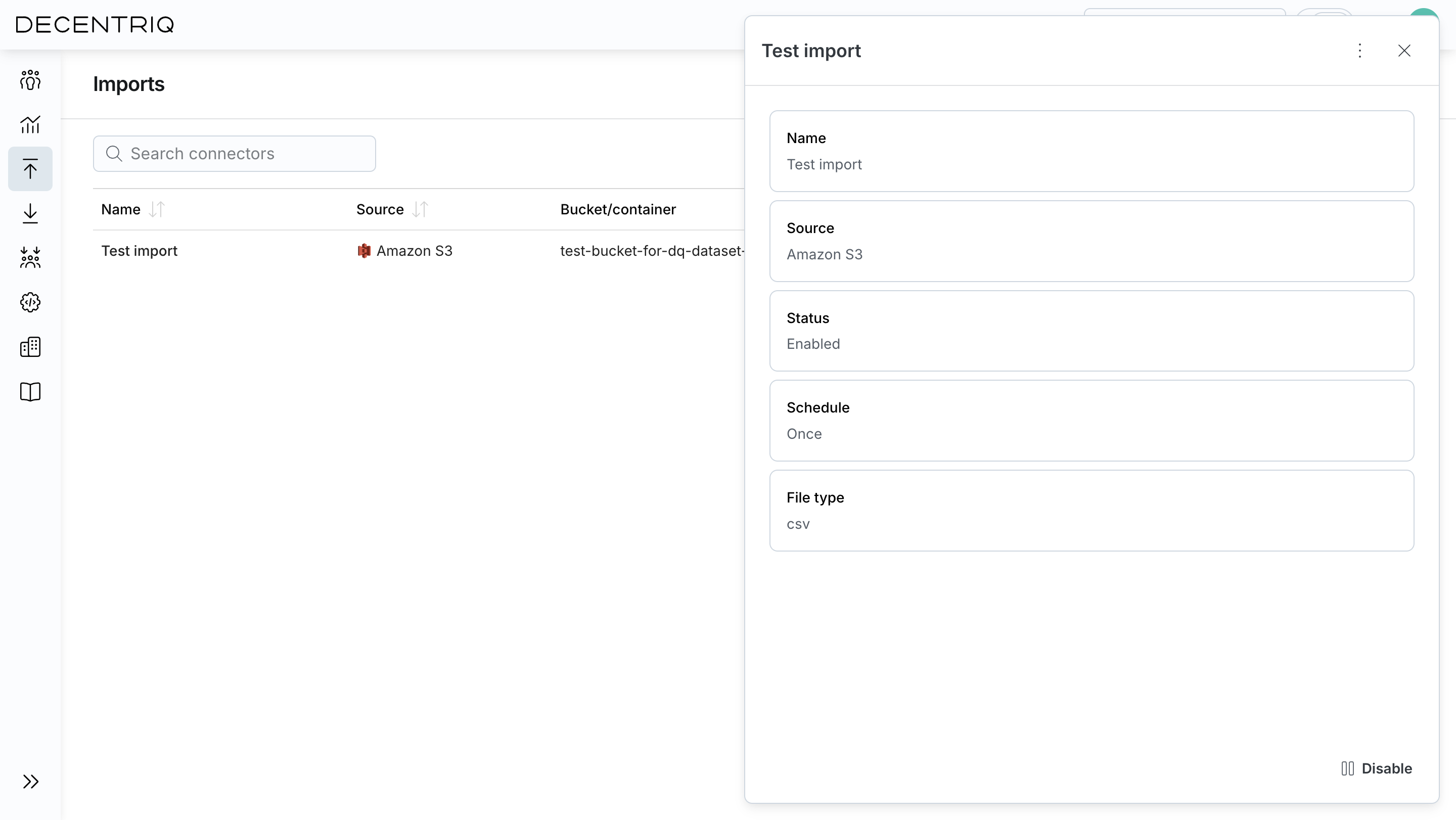
Imports is the central hub for all DMP imports. From here, you can create new imports from supported external sources, schedule recurring runs, and monitor execution status.
Creating an import
Click Create import, select an external source, and enter the connection details and credentials. See Supported data sources for detailed documentation on each connector.
Imports may take some time and run in the background; you can continue using the platform while they process. Once an import has run successfully, the imported events are available in the DMP.
Decentriq does not have access to the credentials nor to the imported files. The data connector tooling leverages confidential computing technology, which prevents everyone except the data owner from accessing the data.
Managing imports
The imports table provides an overview of all configured imports.
For each import you can see:
- Name: The user-defined name of the import.
- Source: The external data source used (Amazon S3, Google Cloud Storage, Azure Blob Storage).
- Bucket / Container: The storage location from which data is imported.
- Schedule: How often the import runs.
- Status: Whether the import is enabled or paused.
- Last successful run: The last time the import completed successfully.
- Last imported events: The number of events ingested during the last run.
- Created: When the import was created.
- Actions: Pause, resume, or delete the import.
Pausing an import temporarily stops data ingestion without losing the configuration. Deleting an import permanently removes the configuration and stops all future runs (previously imported events are not removed).
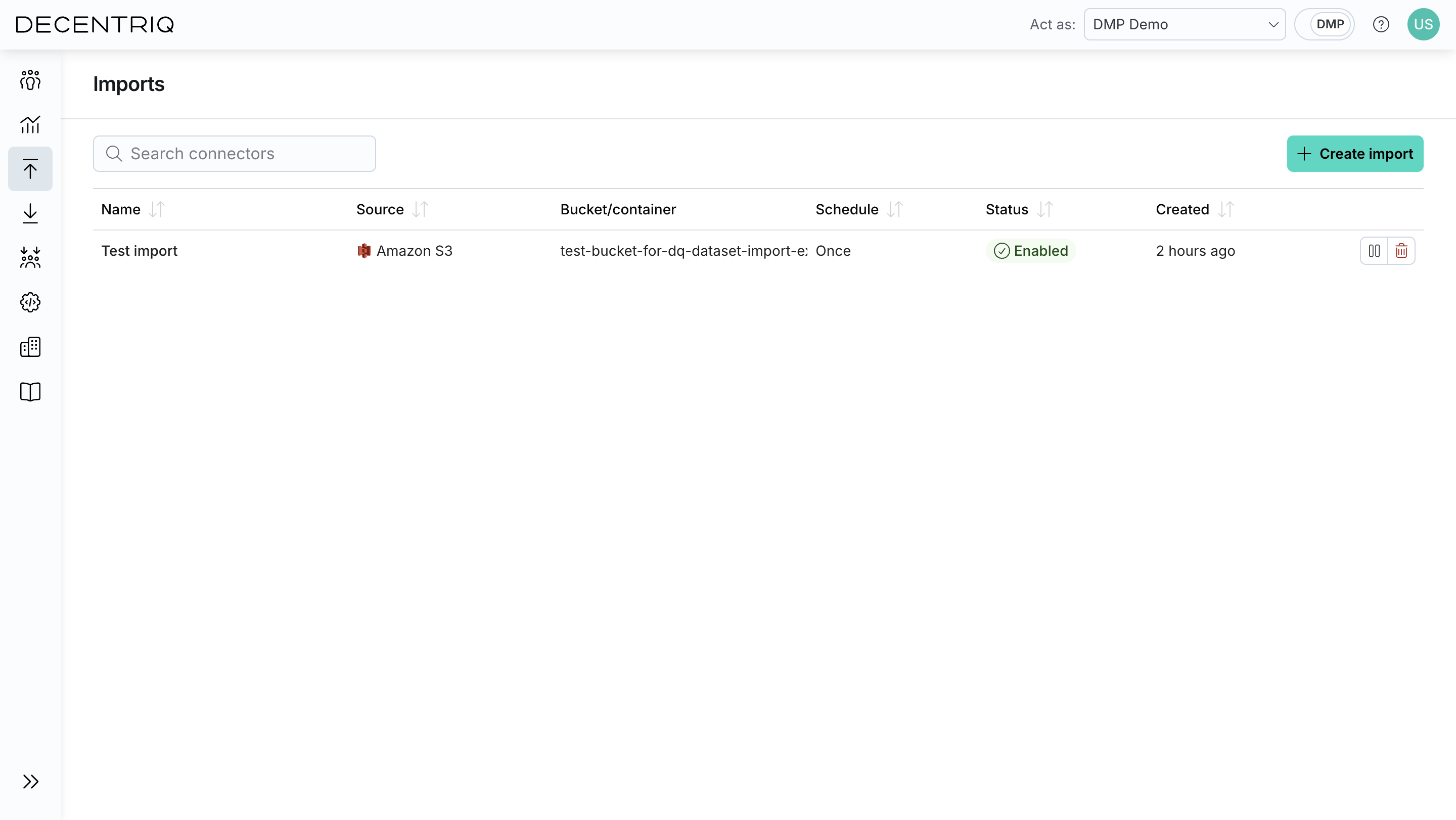
Import details
Click an import in the list to open its details view, where you can inspect and update its configuration. From this view you can review the data source and connection settings, update the schedule, view the file selection and parsing configuration, inspect field mappings, and review the run history.