Getting started with Key-Value Activation
Key-Value Activation lets you make audiences and content categories from the Decentriq DMP available to your ad server (such as Google Ad Manager) in real time, using a key-value targeting setup. Each activation produces a Query ID that your ad server can request at impression time to check whether the page or user matches the activation.
Activation types
Two activation types are supported:
Audience activation: Returns the Query ID when the user belongs to one of the selected DMP audiences. Use this for retargeting and audience-driven creatives.
Contextual activation: Returns the Query ID based on the page's content categories (IAB Content Taxonomy 3.1). Two targeting modes are available:
- Include: Returns the Query ID when the page matches any of the selected categories.
- Exclude: Returns the Query ID when the page doesn't match any of the selected categories.
Use this for contextual targeting and brand safety.
How it fits together
- You create an activation in the DMP and assign it a Query ID.
- The DMP keeps the Query ID lookup table updated as audiences are recomputed and pages are categorized into IAB content categories.
- Your ad server (such as Google Ad Manager) queries the lookup at impression time using the Query ID.
- The lookup returns whether the user or page matches, which the ad server uses to decide what creative to serve.
Activations and changes to existing activations take effect after the next DMP pipeline run.
Activations table
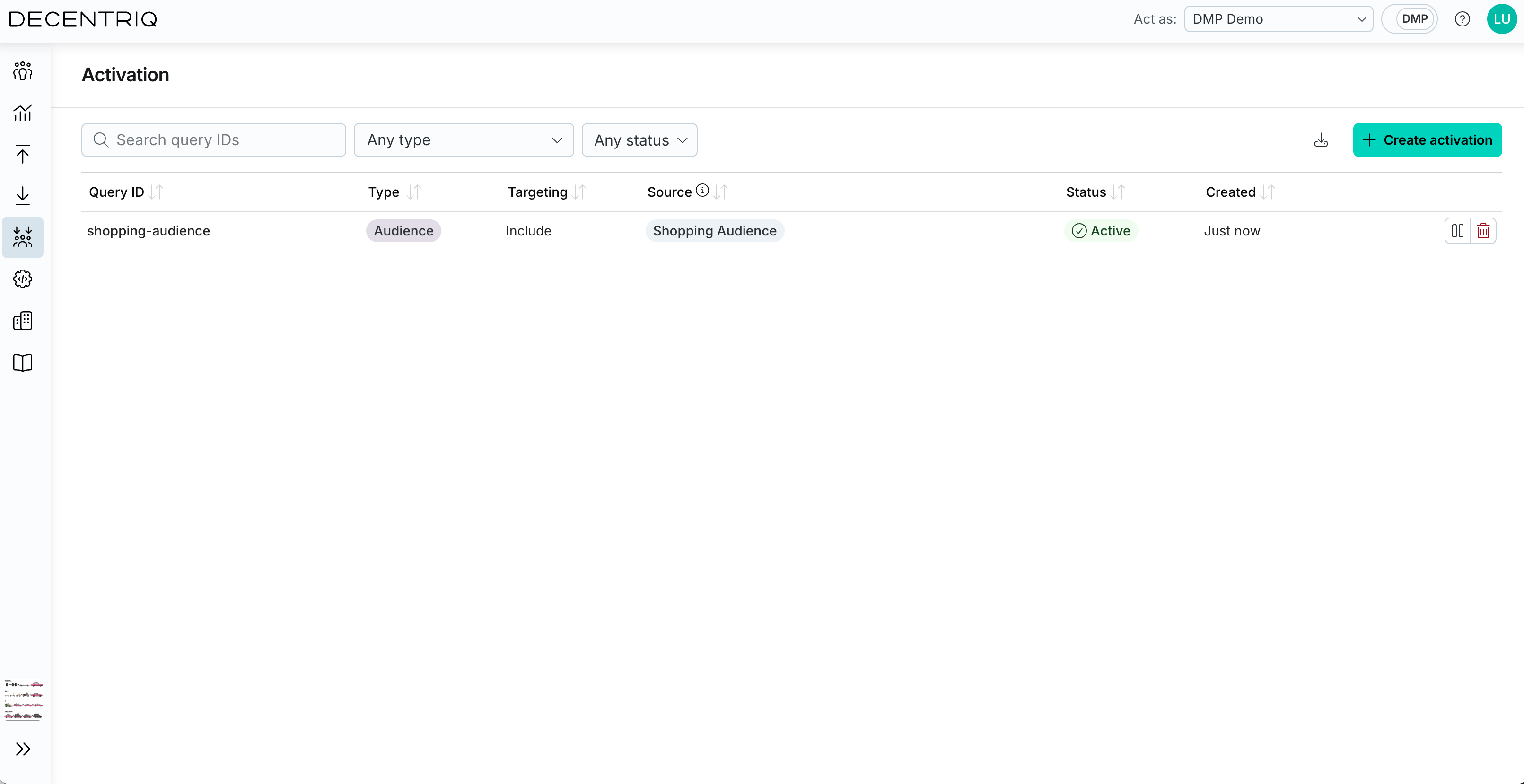
Key-Value Activation provides an overview of all activations created in the Decentriq DMP. For each activation, the table shows:
- Query ID: The user-defined ID used by your ad server. Click to rename inline.
- Type: Audience activation or Contextual activation.
- Targeting: Include or Exclude. Contextual activations can use either; audience activations always use Include.
- Source: The selected audiences or category paths. If many are selected, the remaining ones are shown in a tooltip.
- Status: Active or Paused.
- Created: When the activation was created.
- Actions: Pause, resume, or delete the activation.
The toolbar provides:
- A Type filter (Audience activation, Contextual activation, or Any).
- A Status filter (Active, Paused, or Any).
- A search box that filters by Query ID.
- An Export CSV button to download the list.
Activation details
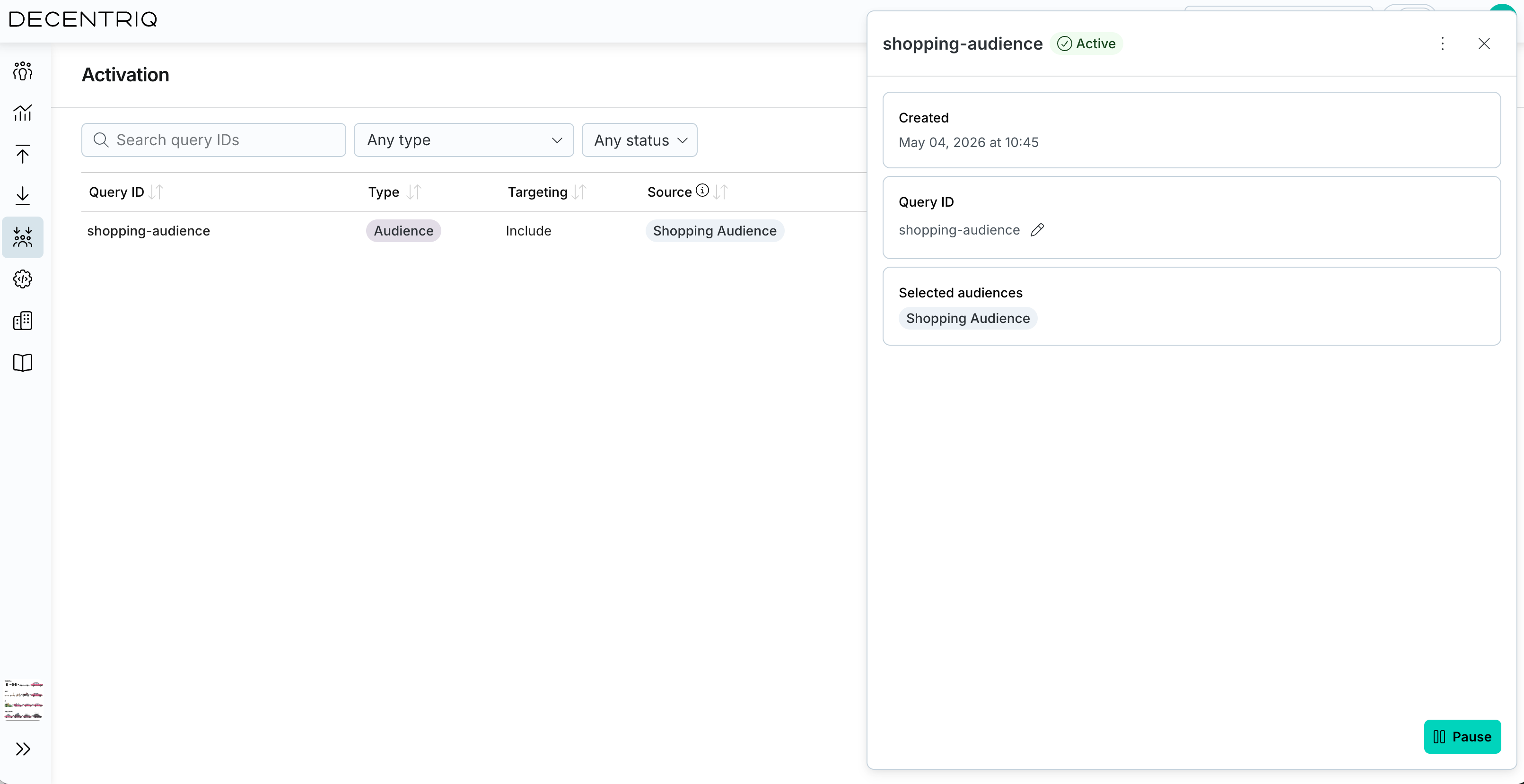
Click an activation in the list to open the side panel with full details. From this view, you can:
- Review the type, targeting mode, status, and creation date.
- Edit the Query ID inline.
- Inspect the selected source (audiences for an audience activation; the category tree for a contextual activation).
- Pause, resume, or delete the activation.
Pausing and resuming
A paused activation stops returning the Query ID at lookup time but keeps its configuration intact. You can resume it at any time.
Deleting
Deleting an activation permanently removes its configuration. Once deleted, your ad server's lookups for that Query ID no longer match. This action cannot be undone.