Create an audience activation
To create an audience activation, navigate to Key-Value Activation and click Create activation. The creation wizard walks through three steps.
Step-by-step guide
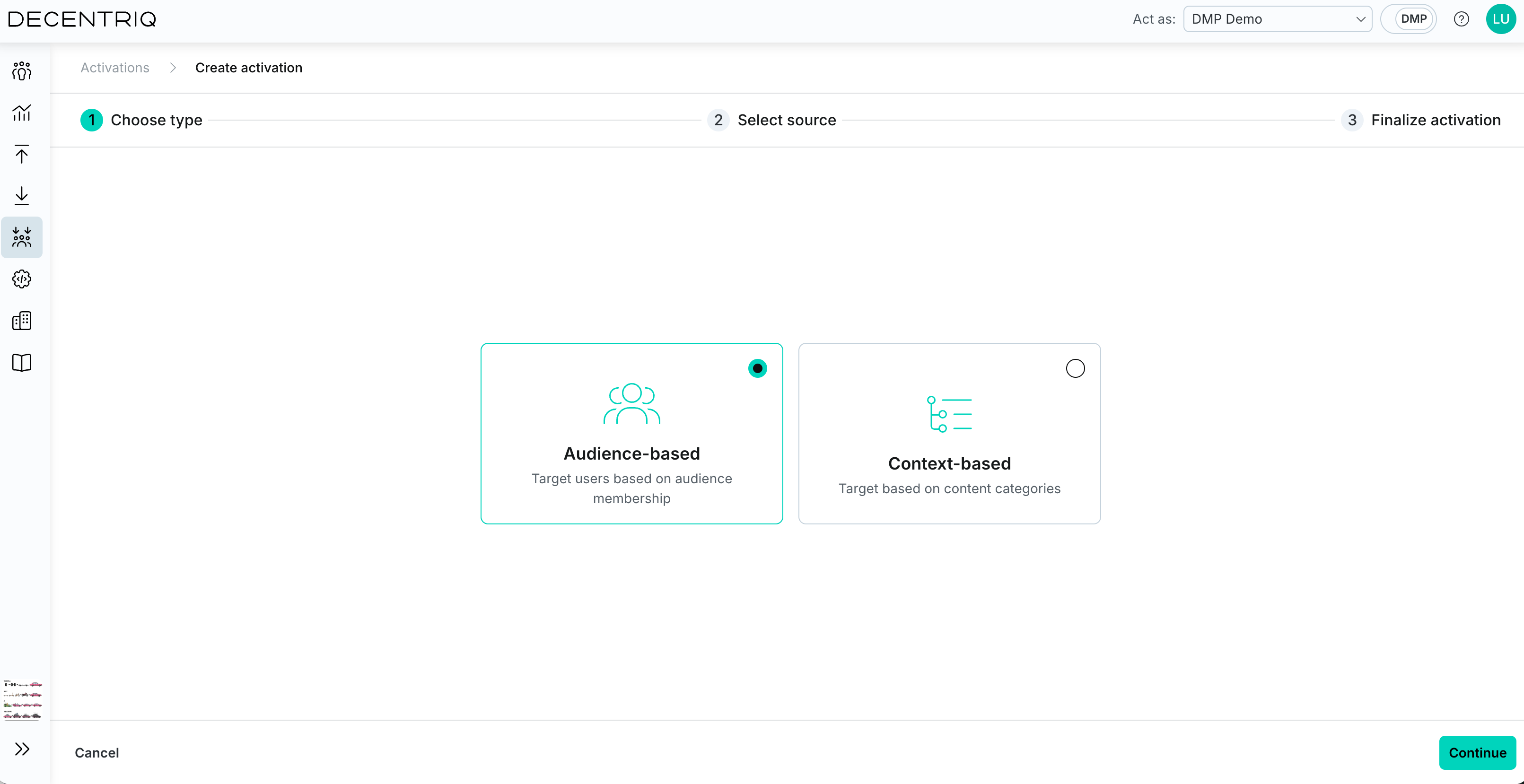
Step 1: Choose type
Select Audience activation.
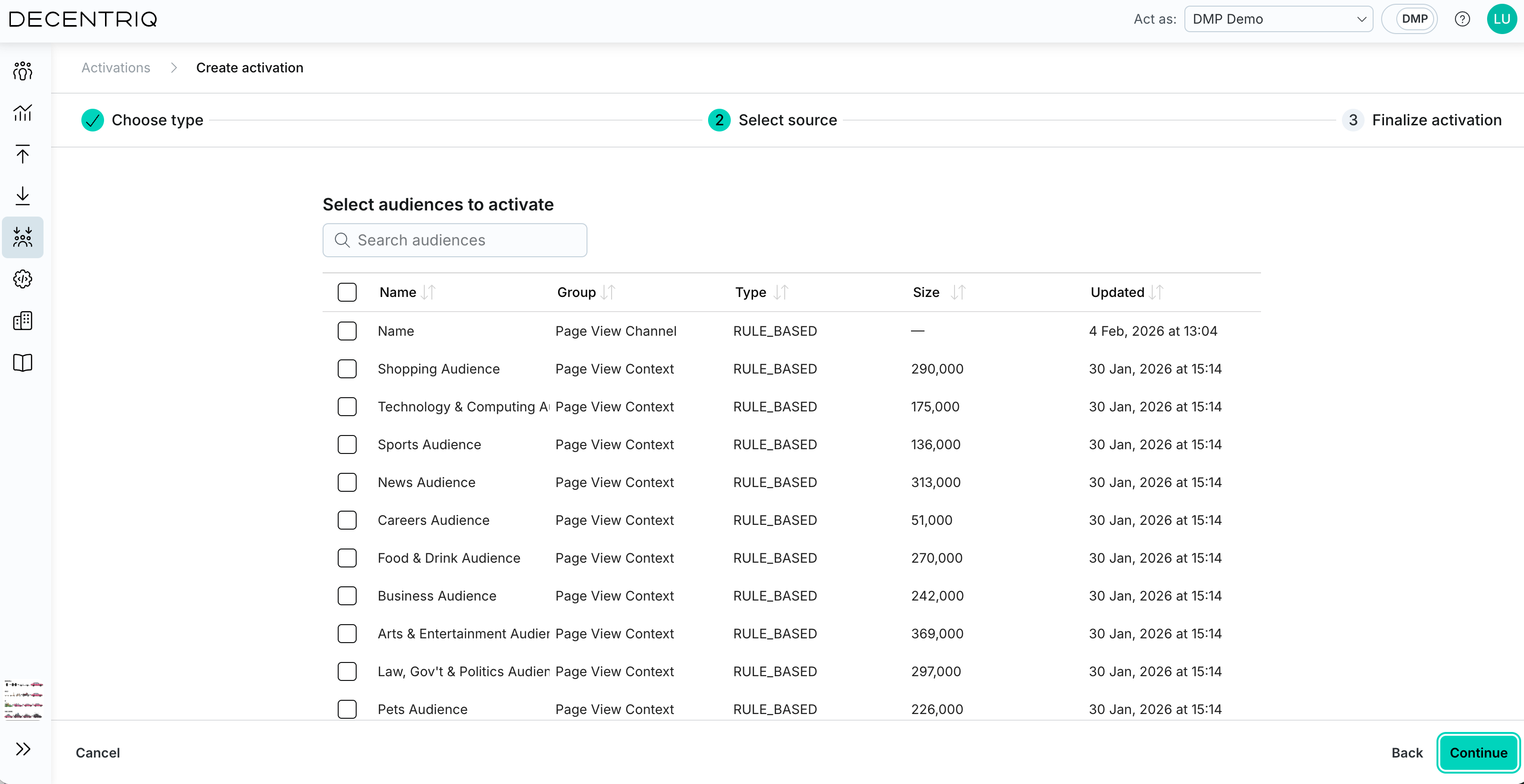
Step 2: Select audiences
Select one or more DMP audiences from the list. You can search by name, see the latest audience size, and click a row to inspect the audience definition in the side panel. The Query ID is returned for users that belong to any of the selected audiences.
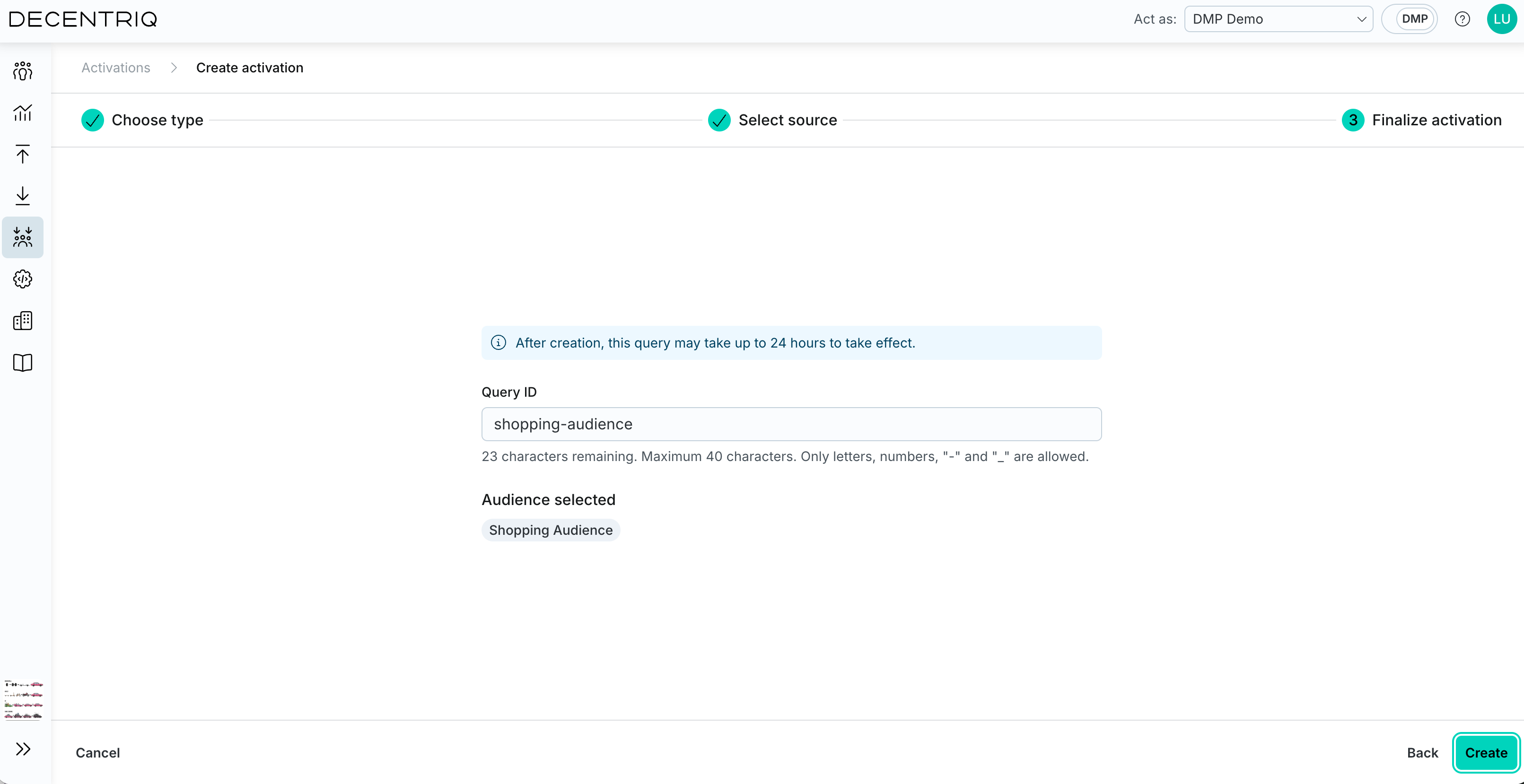
Step 3: Finalize activation
Enter the Query ID that your ad server will use to look up this activation:
- Maximum 40 characters.
- Allowed characters: lowercase letters, numbers,
-,_. - Must be unique across all activations.
A default Query ID is suggested based on the audiences you selected; you can edit it.
note
The activation takes effect after the next DMP pipeline run.
Click Create to save. The activation appears in the activations table and is enabled by default.