Export to Decentriq DCR Dataset Portal
Overview
The Decentriq DCR Dataset Portal export allows you to export selected DMP audiences and event data into a Decentriq DCR dataset, where the data can be used for privacy-safe collaboration.
Exports to the Decentriq DCR Dataset Portal run within Decentriq's secure environment and ensure that data is only accessible according to the permissions and rules defined in the target Datalab.
Prerequisites
- Have access to the Decentriq DCR Platform.
- Have sufficient permissions to create datasets.
Step-by-step guide
Step 1: Select the destination
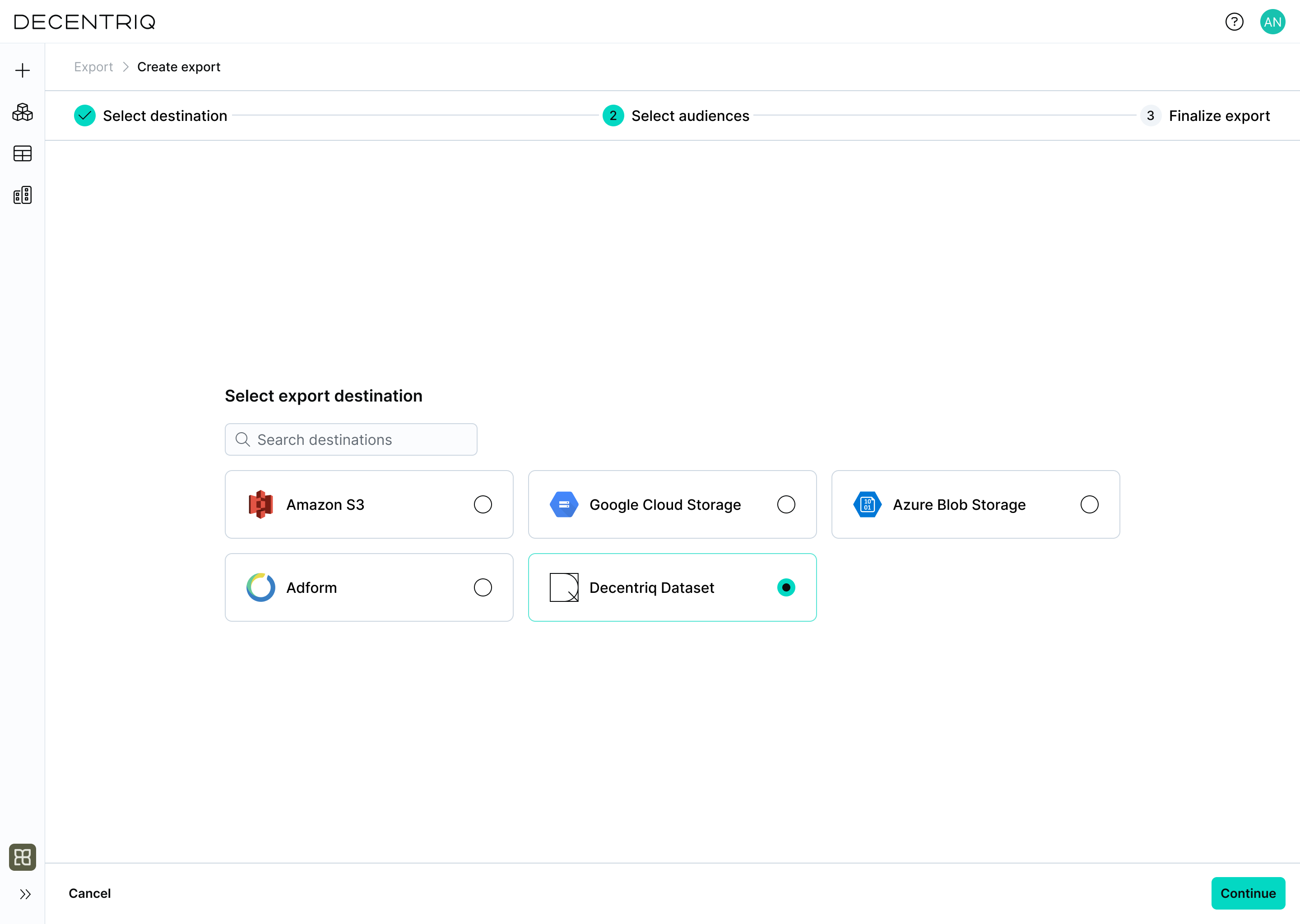
Follow the steps to create a new export and select Decentriq Dataset as the export destination.
Step 2: Select audiences
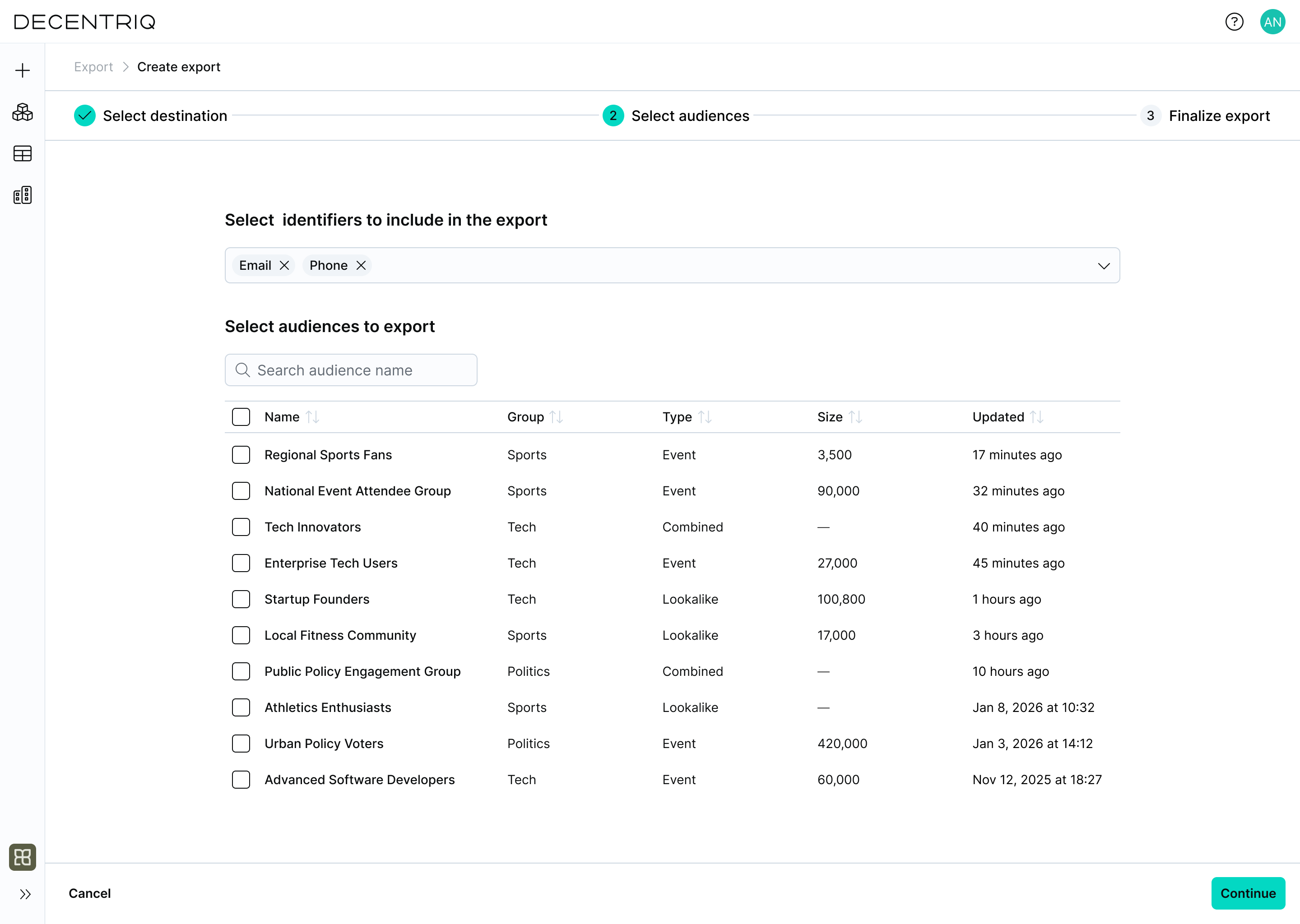
Click Continue to proceed to audience selection. Select the identifiers to include in the export and choose the audiences to export.
Multiple audiences can be selected. Only users belonging to at least one selected audience are included.
Step 3: Configure the export
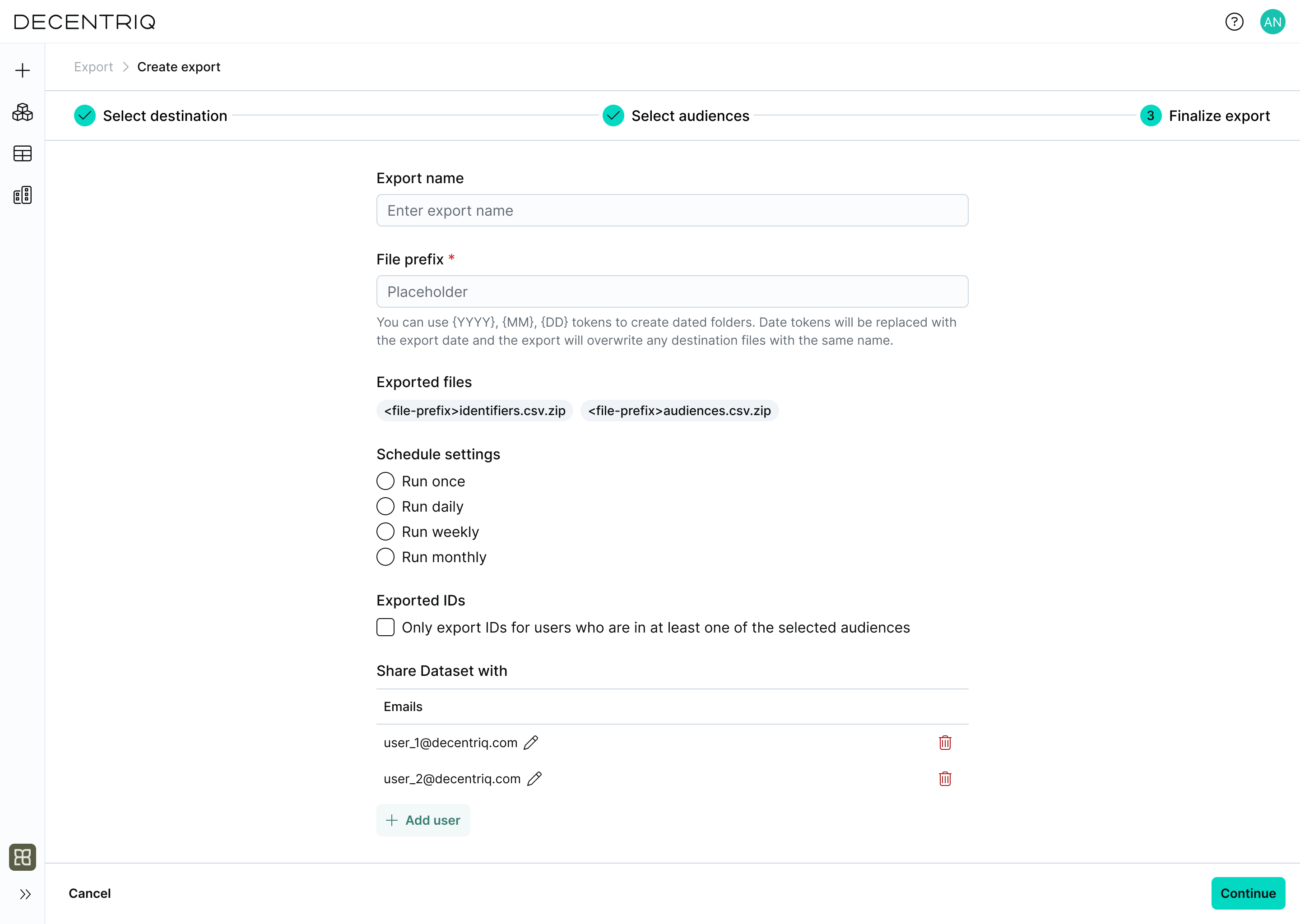
Click Continue to proceed to export configuration. Enter the export configuration:
- Export name: A user-defined name for this export.
- File prefix: An optional prefix used to structure exported files. Date tokens can be used to create dated folders.
- Schedule settings: Define how often the export should run (run once or on a recurring schedule).
- Exported IDs: Choose whether to export only IDs for users included in the selected audiences.
- Share Dataset with: Define which users should have access to the generated Dataset.
Step 4: Create the export
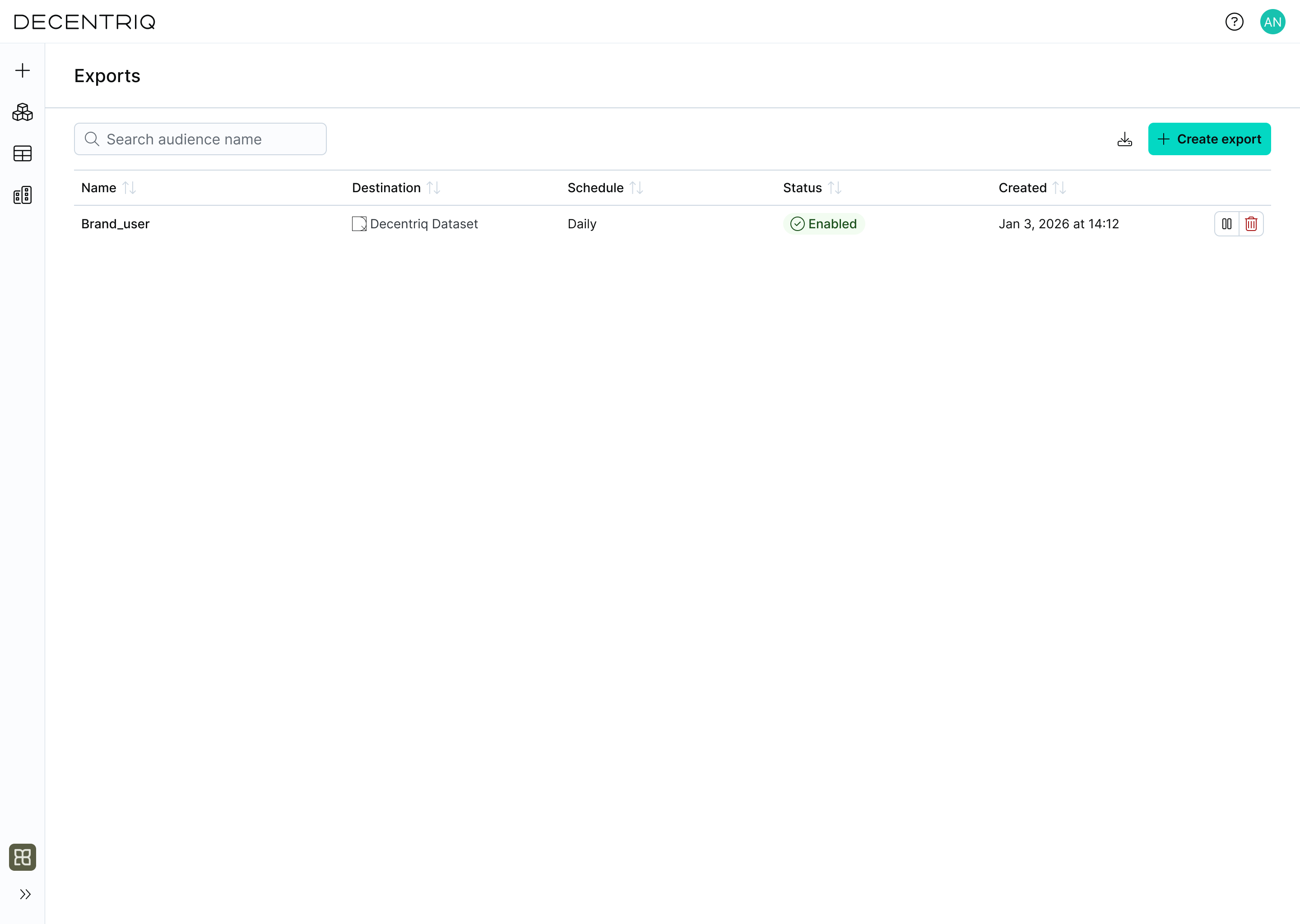
Click Continue to create the export. Two compressed CSV files are exported: one for identifiers and one for audiences. Once created, the export appears in the exports table with the export name provided in the previous step. From there, you can monitor its status, review execution history, and manage future runs.