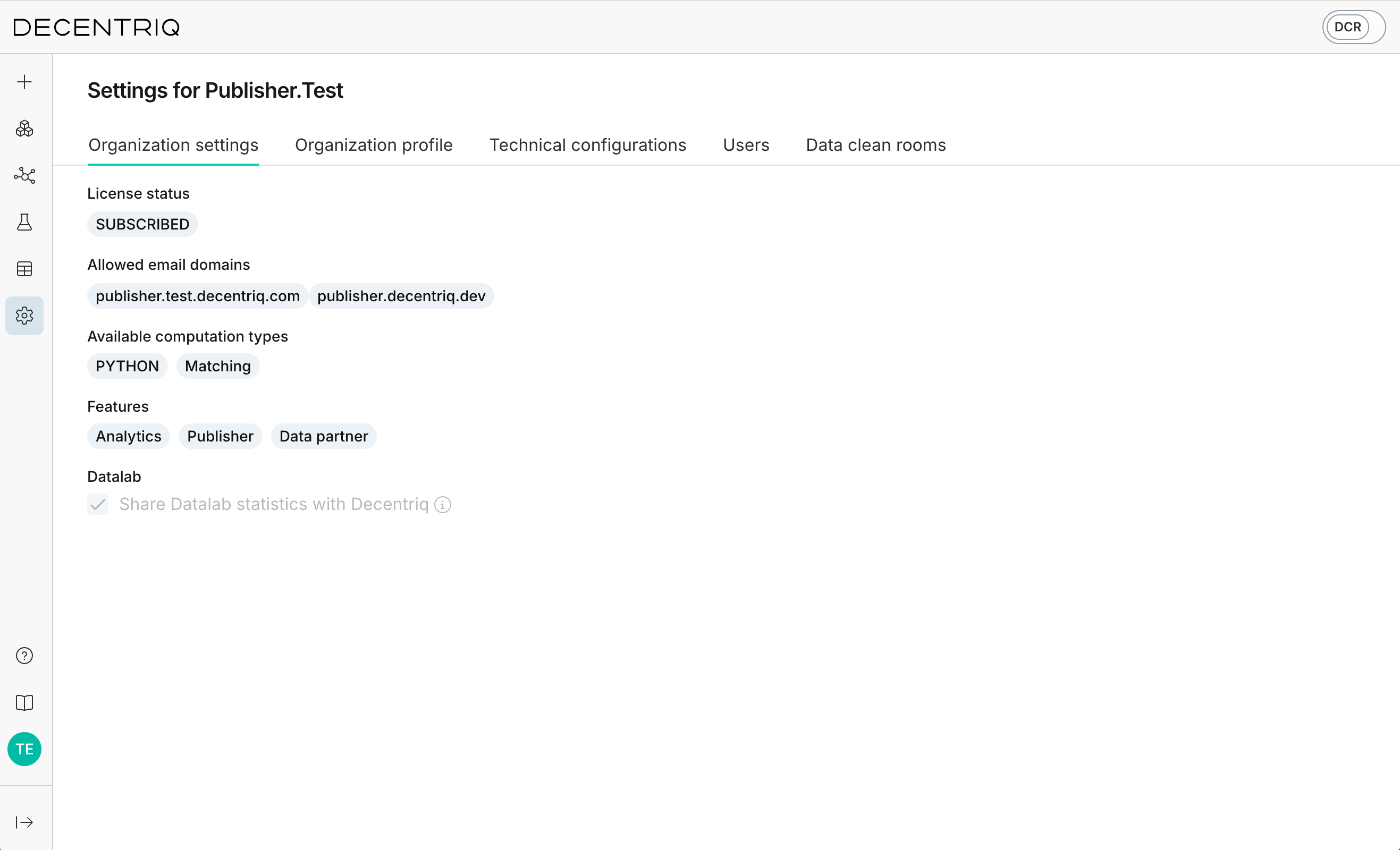
Organization settings
In the Organization settings tab, you can view your organization's current configuration. These settings are managed by Decentriq and cannot be changed directly by organization admins.
- License status: See your current subscription status.
- Subscribed: This allows users of your organization to create data clean rooms. Additionally, admin users of your organization can invite external users to access the platform to collaborate with you.
- Suspended: This allows users of your organization to participate in existing data clean rooms but not to create new ones.
- Trial: This allows users of your organization to create data clean rooms on a temporary basis for evaluation purposes.
- Passive: This allows users of your organization to view and participate in existing data clean rooms.
- Allowed email domains: You can only add users to your organization if their email address matches one of these domains.
- Available computation types: Users of your organization can use these computations when creating Advanced Analytics DCRs.
- Features: Organization roles that determine platform capabilities:
- Advertiser: Allows users to create Media DCRs as advertisers (together with an appropriate license status).
- Publisher: Allows users to create Media DCRs as publishers (together with an appropriate license status) and set up the publisher technical configuration.
- Data partner: Allows users to create Media DCRs as data partners (together with an appropriate license status) and set up the data partner technical configuration.
- Datalab statistics sharing with Decentriq: Shows whether aggregated statistics of new Datalabs are shared with Decentriq. Enabled by default. No row-level data is shared. See Statistics sharing for details.
- Share aggregated results of MDCRs with Decentriq: Shows whether newly created Media DCRs share their aggregated results with Decentriq, which is what enables the AI-powered capabilities in the Media DCR. Raw data is never accessible to Decentriq. Changes apply to future Media DCRs only. To change it, contact your account manager. See Sharing aggregated results with Decentriq for details.