Manage audiences
Audiences provides an overview of all audiences configured in the Decentriq DMP. From here, you can view audience status and size, inspect definitions, and manage existing audiences.
Audiences table
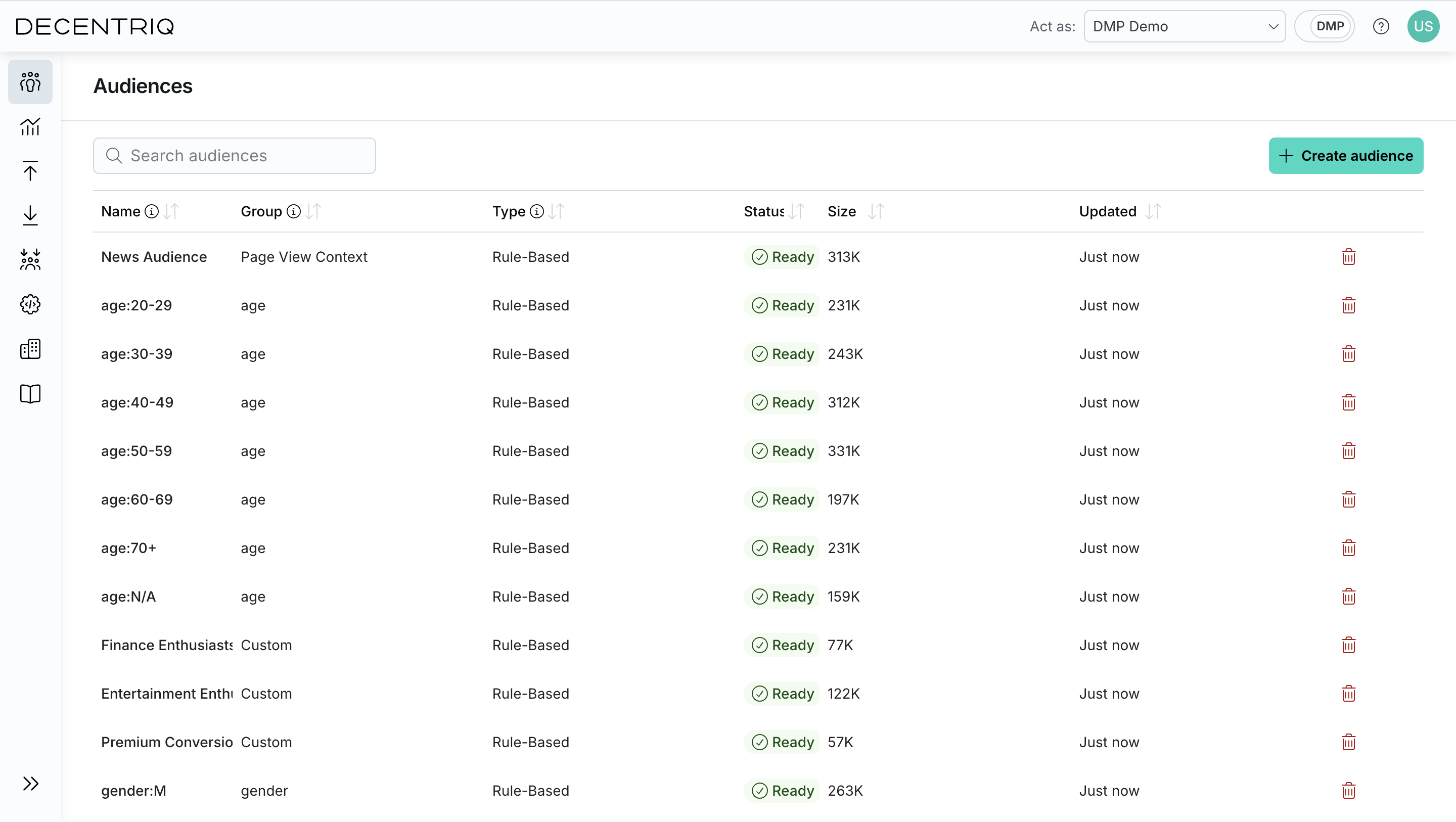
The audiences table lists all created audiences and allows you to quickly assess their state.
For each audience, you can see:
- Name: The user-defined name of the audience.
- Group: The assigned audience group.
- Type: The audience type, shown as a Rule-based or Lookalike chip.
- Status: Whether a fresh size computation is scheduled (queued for the next pipeline run) or the audience is ready (latest size available). Lookalike audiences have additional statuses — see Lookalike audiences.
- Size: The most recently computed audience size.
- Created: When the audience was created.
- Actions: Delete the audience.
Audience details
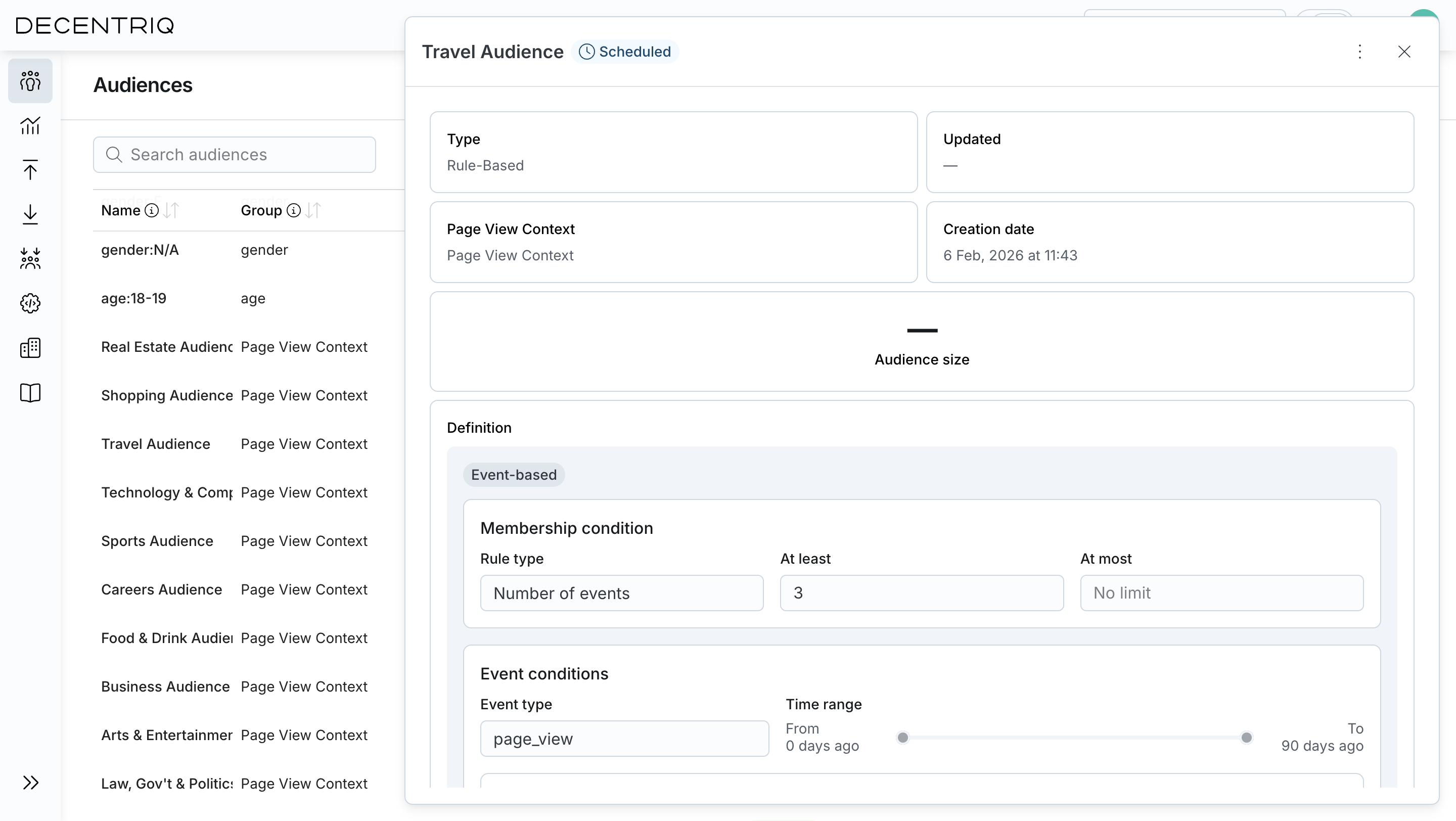
Clicking on an audience from the list opens the audience details view, where you can inspect its configuration and results.
From this view, you can:
- Review general information, including type, group, creation date, and last update.
- View the current audience size, based on the latest computation.
- Inspect the audience definition, including event-based, profile-based, and existing audience conditions.
- Delete the audience.
Lookalike audiences
Lookalike audiences appear in the table with a Lookalike type chip and go through additional statuses. See Creating a lookalike audience for how they're created.
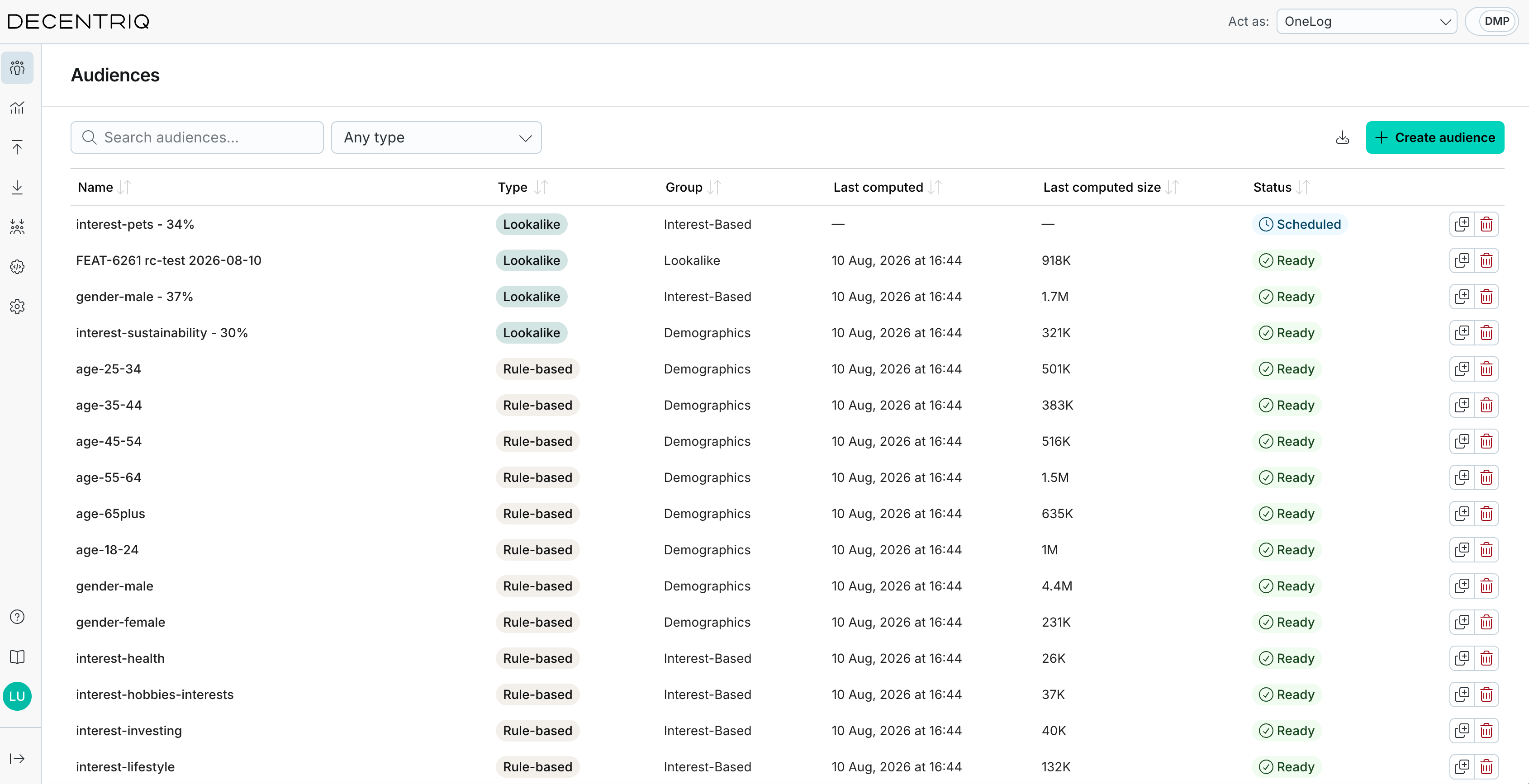
The possible statuses are:
- Untrained: No model has been trained for this audience yet.
- Training: The model is queued and being trained (up to one hour).
- Scheduled: The model is trained; the audience is computed during the next pipeline run.
- Ready: The audience has been computed and its latest size is available.
- Modified: The reach has been updated and the audience will be re-computed during the next pipeline run.
- Failed: Model training or audience generation failed.
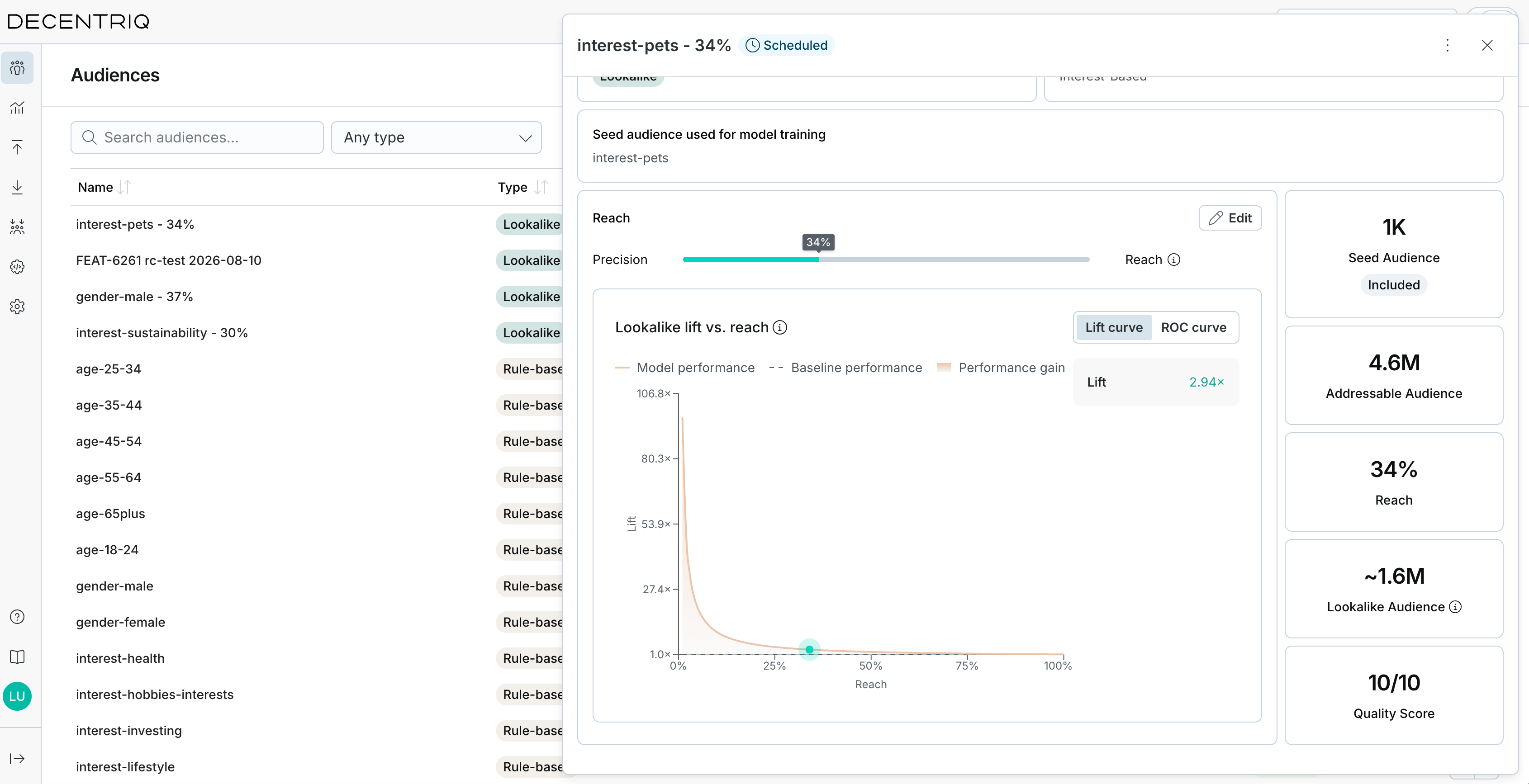
The side panel of a lookalike audience shows extra details on top of the general information:
- A Seed audience used for model training card showing which audience the model was trained on.
- A Reach card with an Edit button. Click Edit, move the reach slider, and click Apply to update the reach without retraining the model.
- The quality charts and the Lookalike audience quality statistics panel, updated live as you move the slider.
Sharing audiences with another organization
You can share an audience with another organization. They see it read-only in their own Audiences list and can build on it.
The recipient never receives your user list. On its next run, the pipeline translates the audience's membership into the recipient's own users by matching on the identifiers the two organizations have in common, so nothing user-level passes between you.
You can only share with organizations that Decentriq has configured as recipients for yours. If none are configured, the Share audience button is disabled. Contact your customer success representative to have recipients set up.
Sharing an audience
Open the audience from the list, go to the Shared with tab of the side panel, and click Share audience to pick the recipient. The tab lists every organization the audience is shared with, who shared it, and when, and an audience you've shared carries a Shared chip in your audiences list. Any audience can be shared, rule-based and lookalike alike.
A recipient can appear in the picker but be unavailable, with the reason next to it:
- No DMP: the organization doesn't have the DMP enabled.
- Not configured: the organization has no DMP configuration yet.
- No matching identifiers: the two identify configurations have no identifier in common, by name and type, so there's nothing to match the audience on.
The identifiers a share matches on are fixed when you share. Editing either identify configuration afterwards doesn't change shares that already exist.
What the recipient can do
The recipient sees the audience with an External chip and its definition read-only. They can't edit it, delete it, or share it on, but they can:
- Reference it in their own rule-based audiences.
- Use it as the seed of an AI lookalike audience, unless what you shared is itself a lookalike.
- Export it and use it in key-value activations.
All of this waits on the pipeline. A shared audience has no membership until the next run computes it, so until then the recipient's size estimates that reference it are refused, and its own results are empty.
Stopping a share
Click Stop sharing on the recipient's row in the Shared with tab.
Stopping a share, or deleting the audience, takes it out of the recipient's list and out of any activation that used it, which leaves an activation that used nothing else empty and no longer served. Audiences the recipient built on top of it stay in their list but stop resolving. Both confirmation dialogs name the organizations affected.
Deleting audiences
Audiences that are no longer needed can be deleted from the audiences table. Deleting an audience permanently removes its definition and computed results. This action cannot be undone.
Deleting an audience also deletes the audiences, activations, and exports that depend on it. The confirmation dialog lists all dependent items.